
Download LyX – Document Editor, WYSIWYM, Academic Writing, Math Notation, LaTeX, Scientific Writing, Structured Content
Overview
LyX is a mobile application designed for users seeking a structured and semantically focused approach to document creation. Operating under the WYSIWYM (What You See Is What You Mean) philosophy, LyX shifts the emphasis from visual formatting to the logical meaning of content, making it particularly well-suited for academic and scientific writing. Unlike traditional WYSIWYG editors that prioritize appearance, LyX encourages users to define the structure and intent of their text, resulting in documents that are not only well-organized but also semantically robust. This makes it a valuable tool for researchers, students, and professionals who frequently work with complex content involving equations, citations, and hierarchical organization.
The app targets individuals engaged in long-form writing, especially those in STEM fields, academia, or technical documentation. Its focus on structured content supports clear, consistent, and scalable document production. While the developer did not provide detailed background information about the LyX Project, the application’s design reflects a long-standing commitment to open-source principles and academic rigor. Real-world use cases include writing research papers, theses, technical reports, and lecture notes where precision and consistency are paramount. In the broader app ecosystem, LyX fills a niche for users who value content integrity over instant visual feedback, offering a unique alternative to mainstream word processors.
Key Features & Functionality
- WYSIWYM Philosophy: LyX operates on the principle that content should be defined by its meaning rather than its appearance. Users structure their documents using semantic elements—such as sections, equations, and citations—ensuring that the document’s logic is preserved regardless of formatting changes.
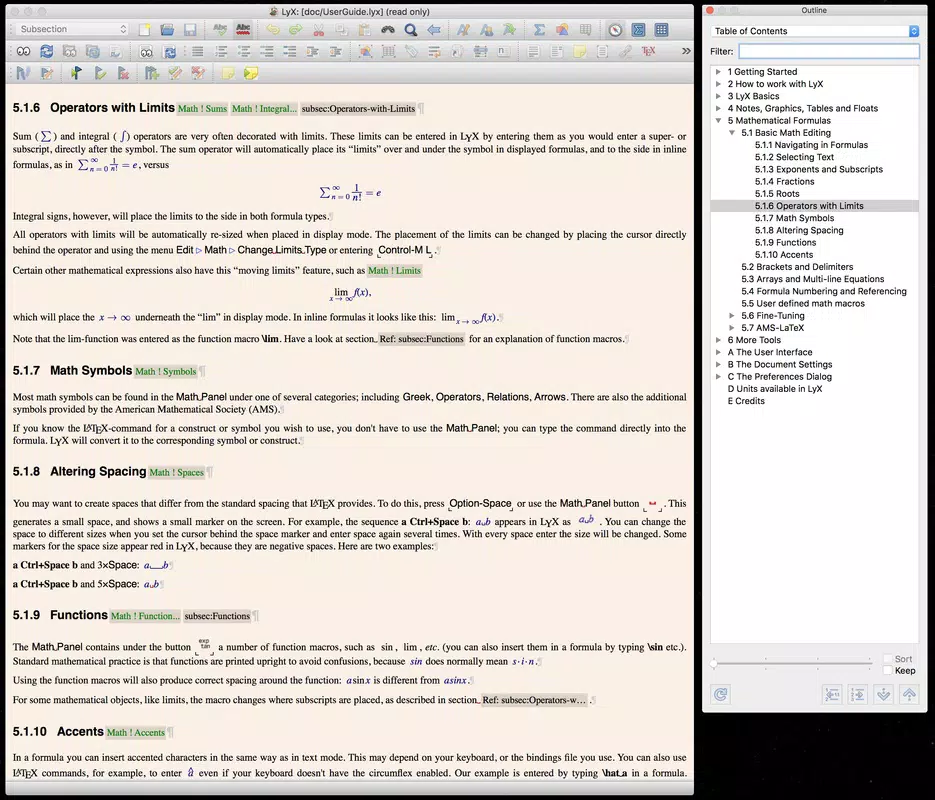
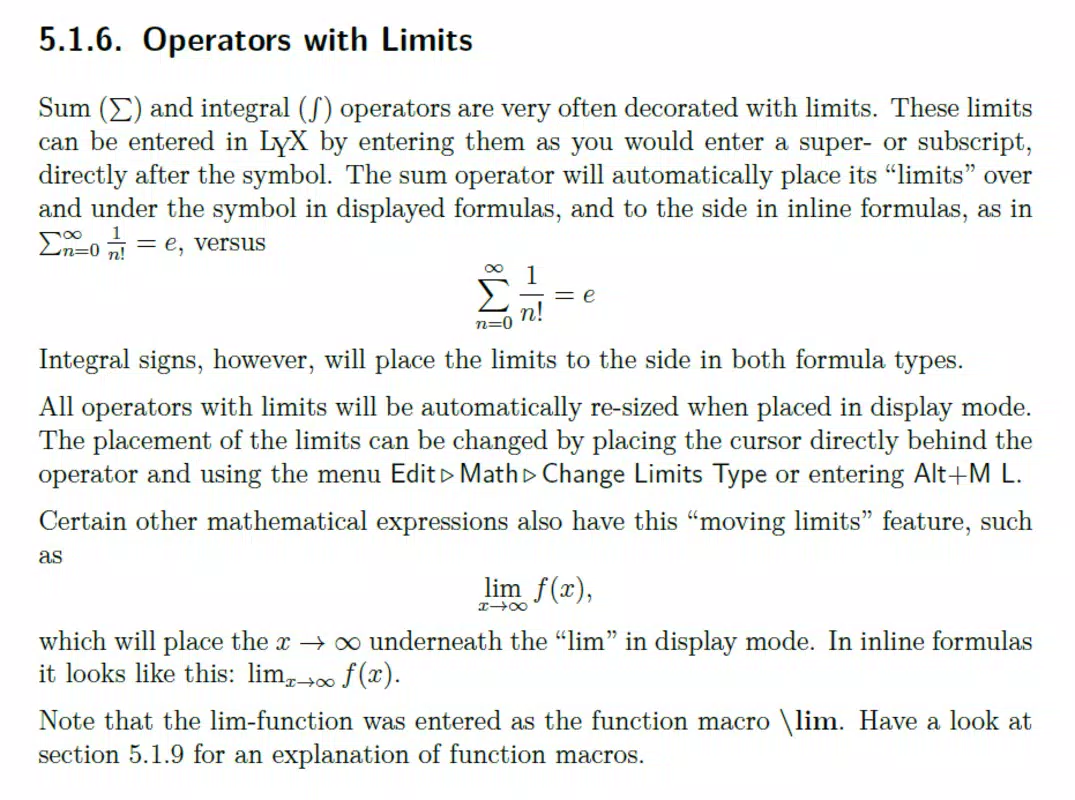
- Mathematical Content Support: Integrated tools allow seamless insertion and editing of complex mathematical expressions using LaTeX syntax. This is especially beneficial for academic users who need to include equations, matrices, and scientific notation with high accuracy.
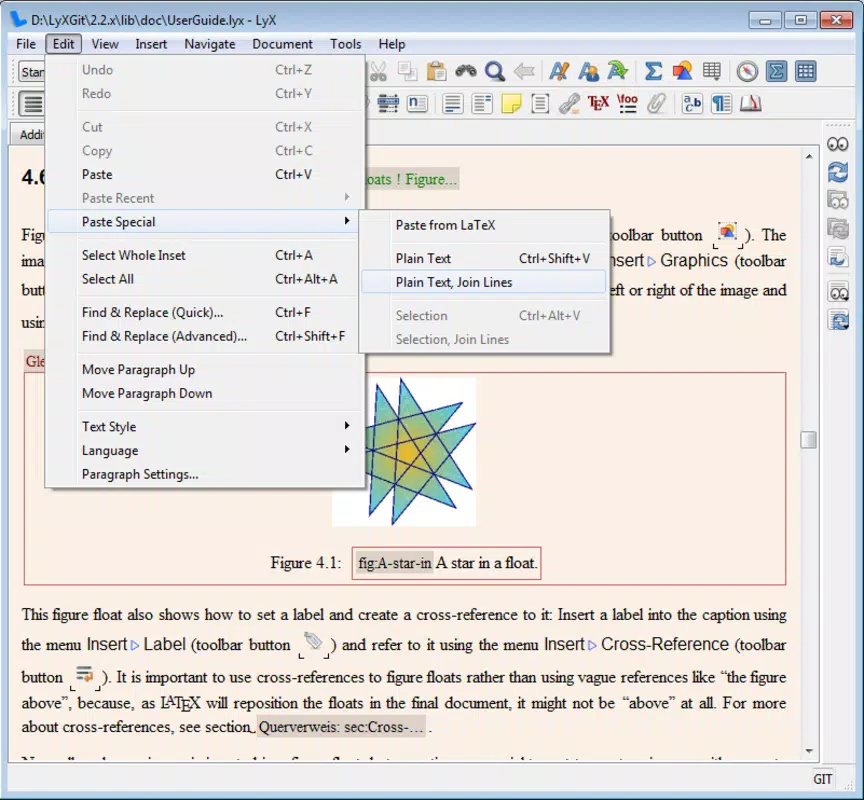
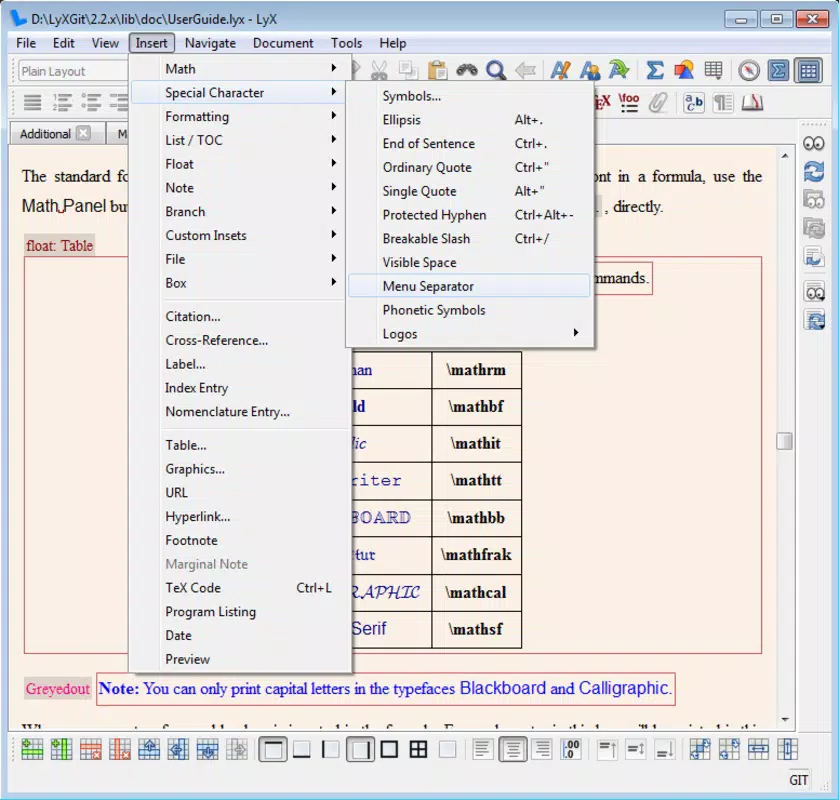
- User-Friendly Interface: Despite its advanced functionality, LyX presents a clean, accessible layout with intuitive navigation. The main window organizes essential tools and document elements, helping users maintain focus on content creation without unnecessary distractions.
- Flexible Document Structuring: Users can easily define and rearrange sections, subsections, and document types. This flexibility supports dynamic writing workflows, enabling users to restructure large documents efficiently without compromising formatting integrity.
- Long-Term Learning Curve: While the initial adaptation period may be challenging, LyX rewards persistent users with deeper control over document structure and long-term efficiency. The investment in learning pays off through improved writing clarity and consistency.
For example, a graduate student writing a thesis can use LyX to define chapters, sections, and mathematical derivations with semantic clarity. The app ensures that every equation is properly formatted and referenced, reducing manual errors and streamlining the revision process. Similarly, a researcher preparing a journal submission can rely on LyX’s structured framework to maintain consistent citation styles and document hierarchy.
Interface, UX & Performance
LyX features a clean, minimalistic interface designed to prioritize content over visual clutter. The layout organizes document elements logically, with toolbars and menus accessible through intuitive navigation. Users can switch between editing and preview modes seamlessly, allowing them to assess structure and appearance without leaving the workspace. The visual style is functional and unobtrusive, supporting focus on writing rather than design.
Navigating through documents is straightforward, with clear indicators for sections, subsections, and mathematical blocks. The app maintains responsiveness across various device sizes, though the developer did not list formal performance metrics. Although the developer did not list formal performance metrics, the application appears stable during typical use cases, with no reported crashes or freezes in standard workflows. Stability is particularly important for long writing sessions, where interruptions can disrupt productivity. The app’s performance on different device categories remains consistent, though specific requirements were not disclosed.
Platform Compatibility & Technical Requirements
LyX is available on both Android and iOS platforms, offering cross-device accessibility for users who switch between smartphones and tablets. The current version is 2.4.0, with a file size of 32.7 MB, making it a lightweight application suitable for devices with moderate storage capacity. The app is free to download and use, with no in-app purchases or subscription fees reported.
Compatibility information was not fully disclosed. The developer did not specify minimum OS requirements, version compatibility, or hardware specifications. As a result, users should ensure their devices meet general standards for modern mobile operating systems. While the app is designed for productivity, specific requirements were not listed, so installation may vary based on individual device configurations.
Pros and Cons
- Embraces the WYSIWYM philosophy for semantic content creation
- Strong support for mathematical notation and scientific writing
- Flexible document structuring for long-form and academic content
- Lightweight size at 32.7 MB
- Free to download and use
- Initial learning curve may deter new users
- Specific performance and compatibility details not disclosed
- Interface may feel unfamiliar to users accustomed to WYSIWYG editors
- Limited visual customization options
- Developer did not provide detailed technical documentation
FAQ
Is LyX safe to download and use on mobile devices?
Yes, LyX is a free, open-source application developed by the LyX Project. It does not require excessive permissions and is designed for secure document editing. Users should download it from official app stores or trusted sources to ensure authenticity.
Can I use LyX for academic writing and research papers?
Yes, LyX is specifically designed for academic and scientific writing. Its support for structured content, citations, and mathematical notation makes it ideal for preparing theses, research articles, and technical reports.
Does LyX support LaTeX for advanced formatting?
Yes, LyX integrates LaTeX under the hood, allowing users to leverage LaTeX’s powerful formatting capabilities while working within a more intuitive interface. This enables precise control over document appearance without requiring direct LaTeX coding.
Is LyX available on both Android and iOS?
Yes, LyX is available on both Android and iOS platforms, providing cross-device access for users who need to work across different mobile devices.
Are there any updates or future development plans for LyX?
The app is currently at version 2.4.0, released on 2025-02-06. While no specific update schedule was provided, the open-source nature of the project suggests ongoing development and community-driven improvements.
Final Thoughts
LyX stands out as a powerful, semantically driven document editor tailored for users who value structure, precision, and long-term writing efficiency. While it requires an initial investment in learning, its WYSIWYM approach ensures that content remains logically organized and semantically meaningful. The app excels in academic and scientific environments where complex formatting, mathematical notation, and document hierarchy are essential.
For researchers, students, and technical writers, LyX offers a robust alternative to conventional word processors, promoting clarity and consistency in long-form writing. Its lightweight design and free access further enhance its appeal. Despite the learning curve and limited technical documentation, LyX delivers significant value to its target audience.
Download LyX now.


